


BMW diagnostic software is a specialized computer program that connects to a BMW vehicle’s onboard computer to read fault codes, program modules, code features, and perform service functions. The software communicates with the car’s electronic control units (ECUs) through the OBD-II port using a compatible interface cable, giving technicians and owners full access to systems that generic scanners cannot reach.
For BMW owners, independent mechanics, and dealership technicians, this software is the bridge between the driver and the dozens of computer modules inside a modern BMW. From the 1990s-era models running early DIS systems to the newest G-series cars built on the BMW Operating System 8.5, the right diagnostic tool reads engine codes, transmission codes, ABS faults, airbag data, and even infotainment errors with precision.
This guide explains the main BMW diagnostic programs, the differences between coding and programming, the hardware needed to run them, and the steps for using the software safely. Read on for a structured breakdown of every major tool, including ISTA, INPA, Rheingold, E-Sys, BimmerCode, and Bimmerlink.
What Is BMW Diagnostic Software?
BMW diagnostic software is a manufacturer-grade application that reads, writes, and modifies data inside BMW control units. It uses the same protocols as official BMW dealerships, including the K-Line, D-CAN, and Ethernet (ENET) standards.
The software performs five core functions:
- Read fault codes from every module in the car
- Clear stored error codes after repairs
- Program control units with the latest firmware
- Code features such as folding mirrors, daytime running lights, and digital speedometers
- Run service routines like brake bleeding, battery registration, and DPF regeneration
Unlike generic OBD-II scanners that only display generic powertrain codes, BMW-specific software accesses manufacturer codes, advanced live data streams, and adaptation tables. This depth of access is the reason BMW workshops rely on it for every repair beyond a basic oil change.
Main BMW Diagnostic Software Programs
There are six primary BMW diagnostic programs used today, each with a distinct purpose. The table below lists the most common tools and their main use cases.
| Software | Primary Function | BMW Generation Supported | License Type |
|---|---|---|---|
| ISTA/D | Diagnostics & repair guidance | E-series, F-series, G-series | Dealer/Workshop |
| ISTA/P | Programming & coding | E-series and older F-series | Dealer/Workshop |
| INPA | Low-level diagnostics | E36 to E90 (older models) | Engineer release |
| Rheingold | Full ISTA workshop suite | All modern BMWs | Workshop |
| E-Sys | Coding & flashing | F-series, G-series, i-series | Engineer release |
| BimmerCode | App-based coding | F-series, G-series, Mini | Consumer paid app |
1. ISTA (Integrated Service Technical Application)
ISTA is the official BMW factory diagnostic platform used at every authorized dealership worldwide. It combines diagnostics, wiring diagrams, repair instructions, and programming into one suite.
ISTA splits into two main parts:
- ISTA/D (Diagnose): Reads fault codes, runs guided troubleshooting, and shows step-by-step repair procedures.
- ISTA/P (Programmierung): Flashes ECUs with new firmware and performs vehicle coding.
ISTA supports BMW, Mini, and Rolls-Royce vehicles from 1991 to the current model year. It requires an ICOM (Integrated Communication Optical Module) interface or an ENET cable for compatible models.
2. INPA (Interpreter for Test Procedures)
INPA is an engineer-level diagnostic program originally created for BMW factory testing. It provides direct access to control modules through low-level scripts, which makes it ideal for older E-chassis cars built between 1995 and 2008.
INPA reads engine, ABS, airbag, and transmission codes on models like the E36, E39, E46, E53, E60, and E90. Technicians use it to view live data, activate components, and reset adaptations. INPA runs on Windows and connects through a K+DCAN USB cable.
3. Rheingold
Rheingold is the workshop version of ISTA-D that operates as a standalone application without needing the full dealer network connection. Independent garages prefer Rheingold because it gives the same diagnostic depth as ISTA without dealer-only restrictions.
Rheingold supports module recoding, software updates, fault code reading, and detailed wiring diagrams. The program runs on a Windows laptop paired with an ENET cable for F- and G-series cars or an ICOM Next interface for full coverage.
4. E-Sys (Electronic System)
E-Sys is BMW’s coding and flashing tool for F-series, G-series, and i-series vehicles. It reads the Frequency Allocation Tables (FA) and Coding Data Files (CAFD) stored in each module, then lets the user modify parameters.
Popular E-Sys coding modifications include:
- Enabling video in motion
- Activating digital speedometers
- Unlocking BMW Apps
- Removing legal disclaimers
- Switching daytime running light brightness
E-Sys requires a PSdZData file set that matches the car’s I-Step level. The software connects through an ENET cable plugged into the OBD-II port.
5. BimmerCode
BimmerCode is a smartphone app that simplifies BMW coding for everyday owners. It supports iOS and Android devices and connects to the car using an OBDLink MX+ or a Veepeak BLE+ adapter.
BimmerCode handles around 80% of the coding tasks that E-Sys can perform, but it does so through a friendly interface with preset options. It supports F- and G-series BMWs, the new Mini, and the Toyota Supra A90.
6. Bimmerlink
Bimmerlink is the diagnostic companion to BimmerCode, made by the same developer. It reads fault codes, displays live sensor data, performs battery registration, and runs adaptations like throttle reset and DPF regeneration.
Bimmerlink supports BMWs from 2001 onward and works with the same Bluetooth or Wi-Fi OBD-II adapters as BimmerCode.
Coding vs. Programming: Key Differences
Coding and programming are two separate processes, although many owners confuse them. Coding changes settings inside a module’s existing firmware, while programming installs new firmware files entirely.
| Feature | Coding | Programming |
|---|---|---|
| Definition | Changes module parameters | Replaces module firmware |
| Risk Level | Low | Moderate to high |
| Tool Examples | BimmerCode, E-Sys (FDL) | ISTA/P, E-Sys (TAL processing) |
| Time Required | 1–5 minutes per module | 30–90 minutes per module |
| Reversibility | Easy | Difficult |
Coding adjusts behavior settings, such as activating heated steering wheels or changing turn signal flash counts. Programming, on the other hand, rewrites the entire software inside a control unit, which is needed after a module replacement or a recall update.
Hardware Needed to Run BMW Diagnostic Software
The software alone is not enough. A compatible interface cable translates signals between the laptop or phone and the BMW’s diagnostic bus.
The main hardware options include:
- K+DCAN cable: Works with INPA, NCS Expert, and Tool32 on older E-series cars
- ENET cable: Plugs directly into the OBD-II port for F-series and newer models running Ethernet diagnostics
- ICOM Next: Professional BMW interface that supports every protocol and every model year
- OBDLink MX+: Bluetooth adapter compatible with BimmerCode and Bimmerlink
- Veepeak BLE+: Budget Bluetooth adapter rated for BimmerCode use
The laptop must run Windows 7 or newer for ISTA, Rheingold, E-Sys, and INPA. A dedicated machine with at least 8 GB of RAM, 250 GB of free storage, and a stable power supply produces the best results during programming sessions.
Step-by-Step: How to Use BMW Diagnostic Software
Follow this sequence for a safe diagnostic and coding session.
- Connect a battery charger rated at 70 amps or higher to keep voltage above 13.5 volts during flashing.
- Plug the interface cable into the OBD-II port located under the dashboard on the driver’s side.
- Launch the software and select the correct chassis code, such as F30 or G20.
- Read the vehicle order (FA) to confirm the build configuration.
- Back up the current coding of each module before making changes.
- Apply the modifications by editing the CAFD or running the diagnostic routine.
- Verify the result through a test drive and a final fault code scan.
Common BMW Modules Accessed by Diagnostic Software
A modern BMW contains 60 to 80 electronic control units. The diagnostic software reads each one individually. The most commonly accessed modules include:
- DME / DDE – Engine control (gasoline and diesel)
- EGS – Transmission control
- DSC – Dynamic Stability Control
- EPS – Electric Power Steering
- CAS / FEM / BDC – Body and immobilizer functions
- KOMBI – Instrument cluster
- HU-H / HU-NBT / HU-MGU – Head unit / iDrive
- ACSM – Airbag and crash safety
- IHKA – Climate control
Each module stores its own fault codes, version numbers, and coding data. The software pulls this data through the diagnostic gateway, known as the ZGW on older cars and the BDC on newer ones.
Popular Coding Modifications BMW Owners Request
Owners use BMW coding software to personalize the car beyond the factory menu. The top coding requests include:
- Enabling sport displays on iDrive
- Activating video playback while driving
- Increasing seat heating intensity
- Disabling the seat belt chime
- Changing the welcome animation color
- Unlocking M-Sport menu features
- Reducing the brake pad warning sensitivity
- Setting one-touch turn signals to 5 blinks
Each modification takes only a few minutes when performed with BimmerCode or E-Sys, but every change should be logged in case a reset is needed later.
BMW Diagnostic Software for Older E-Series Models
Older BMWs from the late 1990s and early 2000s rely on different protocols than modern cars. INPA, NCS Expert, and WinKFP remain the standard tools for these vehicles.
- INPA reads codes and live data.
- NCS Expert writes coding changes to individual modules.
- WinKFP flashes new firmware files into older ECUs.
These programs run together as the BMW Standard Tools package, available through enthusiast communities. They require a K+DCAN cable and a Windows laptop with a real serial COM port or a stable USB-to-serial adapter.
BMW Diagnostic Software for G-Series and i-Series Vehicles
The newest BMWs, including the G20, G30, G70, iX, and i4, use BMW Operating System 7 and 8.5. These cars require updated software versions.
The current toolchain includes:
- ISTA 4.49 or newer for diagnostics and programming
- E-Sys 3.39 with the Launcher Premium
- PSdZData Lite matching the car’s I-Step level
- ENET cable or ICOM Next interface
Programming a G-series car can take up to two hours, since multiple modules update at the same time. A reliable power supply is mandatory because a voltage drop during flashing can brick a module.
Safety Tips for BMW Diagnostic Work
Diagnostic and coding work carries real risks. Follow these guidelines to protect the vehicle:
- Connect a battery charger before programming any module.
- Read and save the original coding before changes.
- Avoid running multiple programs at the same time.
- Update the PSdZData to match the car’s I-Step before flashing.
- Stop immediately if a programming error appears, and consult the log file.
FAQ About BMW Diagnostic Software:
Can BMW diagnostic software be used by non-professionals?
Yes. Consumer-friendly apps like BimmerCode and Bimmerlink were built specifically for owners with no technical background. The interface uses plain language and preset options, which removes the need to understand raw hex values or CAFD files.
Does BMW diagnostic software work without an internet connection?
Yes, for most diagnostic functions. ISTA, Rheingold, INPA, and E-Sys all run offline once installed. However, ISTA programming sessions may need an online connection to download the latest firmware files (PSdZData updates), and BimmerCode requires occasional online verification.
Is INPA still useful for new BMWs?
No. INPA was designed for older cars built between 1995 and 2008. Modern F- and G-series BMWs use Ethernet-based diagnostics that INPA cannot read. Newer cars require ISTA, Rheingold, or E-Sys instead.
Can a generic OBD-II scanner replace BMW diagnostic software?
No. Generic OBD-II scanners read only standardized powertrain codes (P-codes). BMW diagnostic software reads thousands of manufacturer-specific codes from body, chassis, infotainment, and safety modules that generic scanners cannot access.
Does BMW coding void the factory warranty?
No, in most cases. Coding does not modify firmware files, and the changes can be reversed before a dealer visit. However, programming a module with non-official firmware or unsupported settings can leave traces that may affect warranty coverage on the related system.
Can BMW diagnostic software register a new battery?
Yes. Battery registration is a standard service function in ISTA, Rheingold, Bimmerlink, and Carly. Registering a new battery resets the charging strategy in the DME or BDC, which extends battery life and prevents charging errors.
Is ENET cable better than a K+DCAN cable?
Yes, for F-series and newer vehicles. ENET cables use Ethernet protocol, which is faster and supports modern coding tools. K+DCAN cables remain the right choice for E-series cars built before 2008, which use the K-Line and CAN bus protocols.
Can BMW diagnostic software fix mechanical problems?
No. The software diagnoses and clears electronic faults, but mechanical repairs still require hands-on work. The software guides the technician to the failed component, after which physical repair is performed with standard tools.
Does BimmerCode work on every BMW model?
No. BimmerCode supports BMWs from 2008 onward, including F- and G-series cars, the Mini Cooper, and the Toyota Supra A90. Older E-series cars from before 2008 require different software like NCS Expert.
Is BMW diagnostic software legal to use?
Yes for personal use on a vehicle you own. ISTA and E-Sys are proprietary BMW tools, but consumer apps such as BimmerCode, Bimmerlink, and Carly are sold legally for owner use. Always check local regulations before enabling features such as video in motion on public roads.
Conclusion
BMW diagnostic software gives owners and technicians the same level of control over a BMW as the dealership service center. The right combination of software and interface cable unlocks fault code reading, module coding, firmware programming, and detailed service functions.
For everyday owners, BimmerCode and Bimmerlink deliver simple coding and diagnostics through a smartphone. For independent workshops, Rheingold and ISTA provide full factory-level repair coverage. For coding enthusiasts and engineers, E-Sys and INPA open the deepest layers of the car’s electronics.
Choosing the correct software depends on the BMW chassis, the task at hand, and the technical skill of the user. Owners of E-series cars rely on INPA and NCS Expert. Drivers of F-series and G-series BMWs benefit most from ISTA, E-Sys, and BimmerCode. With the right setup, a Windows laptop and a $30 cable produce the same diagnostic depth as a $20,000 dealer system, which makes BMW ownership more affordable and more personalized.
You May Also Like
 Software
9 Best Free Laser Engraver Software Tools in 2026
 Software
When Fixing Bugs Is No Longer Enough: How to Rescue a Failing Software Project
 SaaS
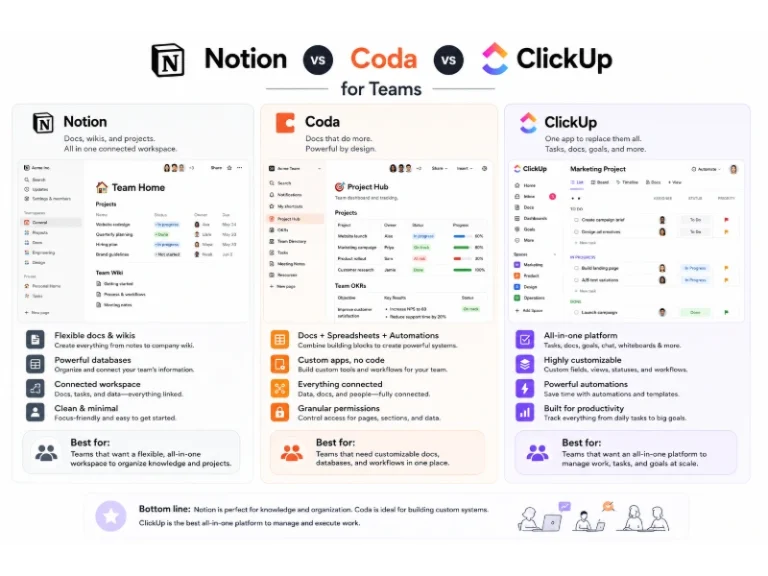
SaaSNotion vs Coda vs ClickUp for Teams: A Field Report From 18 Months
 SaaS
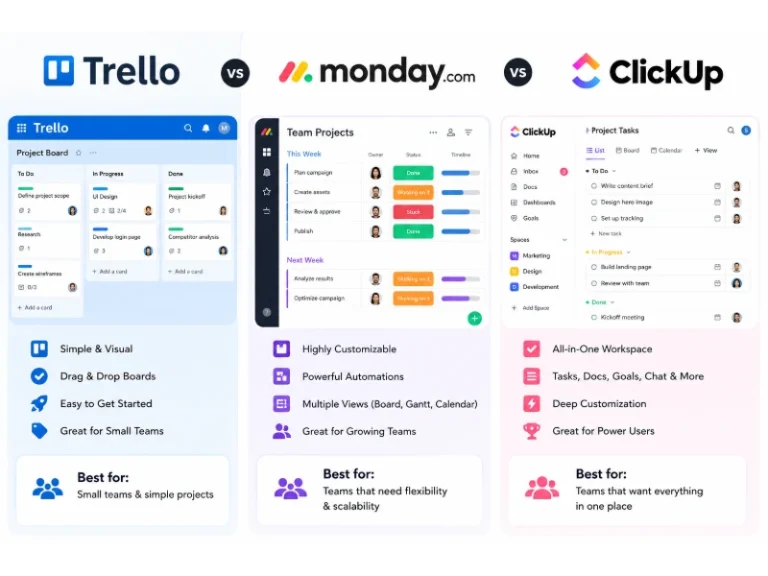
SaaSTrello vs monday.com vs ClickUp: Which Project Management Tool Fits Your Team in 2026?
 SaaS
SaaS8 Best Asana Alternatives in 2026: Free Tools, Top Competitors, and How to Choose
 Software
What is Asana Software? How Businesses Use It for Project Management and Team Collaboration
 Software
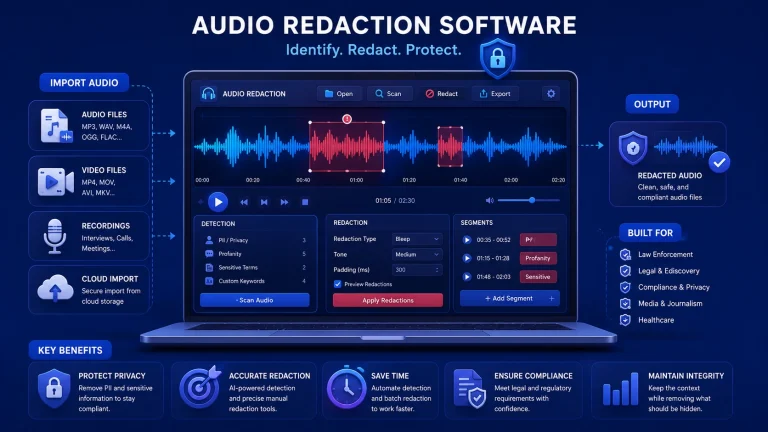
10 Best Audio Redaction Software in 2026 (Tested Picks by Use Case)
 SaaS
SaaS10 Best AI Audio Enhancers for Podcasts in 2026 (Reviewed & Compared)
 Software